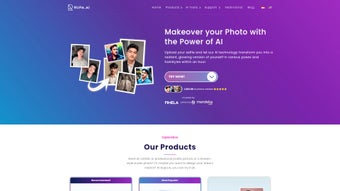

Download Rupa AI – Free AI Design Web App for Creative Professionals
Introduction & Overview
In the rapidly evolving world of digital design, creators are constantly looking for tools that can keep pace with tight deadlines and ever‑changing brand guidelines. Rupa AI answers that call by delivering a full‑featured, browser‑based design assistant that combines the power of modern deep‑learning models with an intuitive, no‑install interface. Launched on Softonic on 11 June 2025, the platform is built for designers, marketers, developers, and anyone who needs high‑quality visual assets without the overhead of traditional desktop applications.
Because it lives entirely in the cloud, users simply open a supported browser, sign in, and start generating logos, UI mockups, mood boards, or full‑page layouts in seconds. The service supports text prompts, sketch uploads, and style‑reference images, allowing even non‑designers to articulate ideas in a natural way. Rupa AI’s free tier grants generous monthly limits, making it an attractive entry point for freelancers and small teams, while a premium subscription unlocks higher throughput, API access, and priority support for larger agencies.
Security is baked into the architecture: all data transfers are encrypted via HTTPS, and storage complies with GDPR standards, giving peace of mind to users handling sensitive brand assets. By eliminating the need for heavyweight installations, version‑control headaches, and cross‑platform file incompatibilities, Rupa AI empowers creative professionals to focus on ideation and execution rather than technical logistics.
Core Features
Rupa AI’s feature set is designed around the end‑to‑end workflow of modern design teams. Whether you are brainstorming concepts for a new mobile app or polishing a brand’s visual identity, the platform offers a suite of tools that accelerate every step of the process. The AI engine is continuously updated with the latest design trends, ensuring that generated assets stay fresh and relevant. Collaboration is seamless: teammates can comment, edit, and approve designs in real time, all while the system maintains a full version history for easy rollback. Below is a detailed look at the most compelling capabilities:
- Prompt‑Driven Design Generation – Transform simple text descriptions into complete UI layouts, logo concepts, or marketing graphics.
- Sketch‑to‑Vector Conversion – Upload hand‑drawn wireframes and receive clean, scalable vector assets.
- Style Transfer & Mood Boards – Apply visual styles from reference images to new creations, instantly matching brand aesthetics.
- Real‑Time Collaboration – Invite teammates to edit or comment without leaving the browser.
- Asset Library & Export Options – Store generated files in a cloud library and export as PNG, SVG, or PDF.
- Version History & Undo – Every change is tracked, allowing instant reversion to any prior iteration.
- API Access (Paid Tier) – Integrate the generation engine into your own tools or workflow pipelines.
- Secure Data Handling – All uploads are encrypted in transit and stored under GDPR‑compliant policies.
- Cross‑Browser Compatibility – Works on Chrome, Firefox, Safari, Edge, Opera, and even legacy Internet Explorer for corporate environments.
- Regular Model Updates – Monthly improvements keep the AI aligned with emerging design trends.
Installation, Usage & Compatibility
Zero‑Installation – Start in Seconds
Because Rupa AI is a pure web application, there is no traditional download or installation step. To begin, open any modern browser—Chrome, Firefox, Safari, Edge, or Opera—navigate to https://rupa.ai, and click “Sign Up”. After confirming your email address, you are presented with a clean dashboard that showcases recent projects, a quick‑start tutorial, and a prominent “Create New Design” button. The free tier allows up to 50 generations per month, which is sufficient for most freelancers and small teams.
Creating Designs Quickly
Click “Create New Design” and choose one of three input methods: (1) a text prompt such as “modern e‑commerce homepage with teal accents”, (2) a sketch upload (PNG or JPEG), or (3) a style‑reference image. The AI processes the request in under 10 seconds and returns several variations. Users can fine‑tune results with sliders for “Creativity”, “Detail”, and “Brand Consistency”. Once satisfied, assets are saved to the personal cloud library and can be exported in PNG, SVG, or PDF formats.
Broad Compatibility
Rupa AI runs entirely in the browser, making it compatible with any operating system that supports modern web standards. This includes Windows 10/11, macOS Ventura and later, popular Linux distributions, as well as mobile platforms like Android 9+ and iOS 13+. For the smoothest experience, we recommend the latest version of Chrome or Firefox, which provide optimal WebGL and WebAssembly support required for the AI rendering pipeline.
Security and Automatic Updates
All communications are secured via HTTPS, and uploaded files are encrypted both in transit and at rest. Data is stored in secure cloud containers with regular backups, and temporary files are purged after a configurable retention period. Because the service is hosted, updates to the AI models, UI, and security patches are applied automatically—users never need to manually download patches or worry about outdated software.
Pros, Cons, FAQ & Conclusion
Pros
- Generous free tier with 50 AI‑generated designs per month.
- No installation—accessible from any device with a modern browser.
- Broad browser and OS support, including legacy Internet Explorer for enterprise environments.
- Powerful AI models produce professional‑grade designs in seconds.
- Real‑time collaboration and cloud‑based asset library streamline teamwork.
- GDPR‑compliant data encryption ensures privacy and security.
Cons
- Free tier limits may require a paid upgrade for heavy users.
- Complex or highly bespoke designs often need manual refinement.
- Performance hinges on internet speed; slow connections can cause latency.
- Advanced API access is reserved for premium subscribers.
Frequently Asked Questions
Is Rupa AI really free to use?
Yes. The free tier provides up to 50 AI‑generated designs each month, which is ideal for freelancers, hobbyists, or small teams testing the platform. Larger volumes and premium features require a paid subscription.
Do I need a powerful computer to run Rupa AI?
No. All heavy processing happens on Rupa AI’s cloud servers, so a modest laptop, tablet, or even a smartphone with a modern browser is sufficient, provided you have a stable internet connection.
Can I export designs in vector format?
Absolutely. Generated assets can be downloaded as SVG, PNG, or PDF, giving you full scalability for print, web, or further editing in other design tools.
Is my data safe when I upload sketches or brand assets?
Rupa AI encrypts all data in transit (HTTPS) and at rest. Uploaded files are stored temporarily for processing and are automatically deleted after a configurable retention period, complying with GDPR and other privacy regulations.
How do I upgrade to the premium plan?
From your dashboard, click the “Upgrade” button, select the desired subscription tier, and complete checkout via credit card or PayPal. The upgrade takes effect instantly, expanding generation limits and unlocking API access.
Conclusion & Call to Action
Rupa AI stands out as a versatile, browser‑based AI design companion that bridges rapid concept generation with polished visual output. Its free tier lowers the barrier to entry, while premium plans scale smoothly for agencies and enterprises that need higher throughput and API integration. By removing the need for heavyweight installations and offering real‑time collaboration, Rupa AI streamlines the creative workflow for anyone seeking design assistance on the fly. If you’re looking for a secure, up‑to‑date, and easy‑to‑use AI design tool, download Rupa AI today and start turning ideas into professional assets within seconds. Join the growing community of designers who trust Rupa AI to accelerate projects and elevate brand presence.
Rupa AI delivers impressive design generation capabilities directly in the browser, making it an excellent choice for freelancers and teams seeking a cost‑effective, collaborative solution. While the free tier’s generation limit may require an upgrade for power users, the overall value and ease of use are hard to beat.






